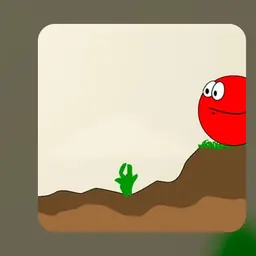
Red Ball is a classic physics-based platformer where you guide a cheerful rolling red ball through obstacle-filled levels. Your mission is to steer past dangerous spikes, leap over deep pits, and interact with moving platforms and puzzles to reach the goal flag at the end of each stage.
The charm of the game lies in its momentum-driven physics and rewarding stage design. Rolling downhill builds speed for massive leaps, while pushing crates, balancing on see-saws, and triggering switches keeps every puzzle fresh and engaging.
How to play Red Ball
In Red Ball, the objective is to guide your spherical hero safely across each course from the starting point to the checkered finish flag. Along the way, you must navigate varied terrain featuring hills, floating platforms, and mechanical contraptions.
Danger is present at every turn. Coming into contact with sharp spikes, falling into bottomless voids, or dropping into water hazards will cost you a life and restart you at the latest checkpoint. Mastering your momentum and carefully judging every jump is essential for clearing the trickier courses.
Controls and mechanics
Red Ball uses straightforward keyboard controls that are easy to learn on school Chromebooks and laptops.
Use the Left and Right arrow keys or the A and D keys to roll your ball across the ground. Press the Up arrow, W, or the Spacebar to jump over obstacles and hop onto elevated platforms. Pressing the Down arrow or S can help stabilize your ball or bring it to a stop when rolling down steep inclines.
Because the ball responds to realistic physics, rolling down slopes increases your speed and extends your jump distance. You can also push wooden boxes to create stepping stones or weigh down pressure switches that open gates.
Tips to get better at Red Ball
Mastering momentum is the key to conquering difficult stages. Gaining speed on downward ramps allows you to clear wide gaps that would otherwise be impossible to cross with a standard jump from flat ground.
Take advantage of checkpoints marked along each level. When you roll past a checkpoint flag, your progress is saved, allowing you to respawn nearby if you make a mistake on a tricky hazard ahead.
Use physics objects thoughtfully. Heavy crates can be pushed into water to serve as floating rafts or stacked against high walls to give you extra height. If a platform is tilting like a see-saw, roll to the opposite side to balance it before making your leap.
Be patient around moving obstacles. Rushing into swinging pendulums or moving crushers often leads to failure. Watch the movement cycle and roll through when the path is completely clear.
Playing Red Ball unblocked at school
Red Ball is a popular choice for students looking for a fun physics challenge during study halls, lunch breaks, or free time on school Chromebooks. School network filters can occasionally restrict access to individual gaming websites.
To ensure you can always play without interruption, our directory lists multiple working server options directly beneath the main title. If one server happens to be filtered on your network, simply try another server button from the list to launch the game in your browser without downloads or setup.
Games like Red Ball
If you enjoy rolling physics and precision platforming in Red Ball, there are plenty of similar games available on this directory.
For another iconic rolling challenge, try Slope, where you guide a fast-moving ball down a steep neon 3D obstacle course. Snail Bob offers engaging puzzle-solving where you manipulate levers and switches to guide a slow-moving friend past hazards.
If you prefer high-flying platforming and agility games, explore Stickman Hook, OvO, Cat Ninja, or Run 3. Each of these games delivers satisfying physics, clever obstacle design, and quick replayability.
FAQ
Is Red Ball unblocked free to play?
Yes, Red Ball is completely free to play directly in your web browser. You can enjoy all the levels and physics puzzles without paying fees or creating an account.
Does Red Ball work smoothly on school Chromebooks?
Yes, Red Ball runs smoothly on standard school Chromebooks and laptops. The lightweight 2D graphics and browser-based engine ensure fast loading times and responsive controls.
How is your level progress saved in Red Ball?
Your unlocked levels and checkpoint progress are stored automatically in your web browser local storage. As long as you play on the same browser profile without clearing your cache, you can pick up where you left off.
What should you do if a jump is too far in Red Ball?
If a gap looks too wide to cross, look for a ramp or incline where you can build up rolling momentum before jumping. You can also look around for movable crates that can be pushed to shorten the distance or provide a boost.
Why do players search for Red Ball unblocked 66, 76, and 77?
Many students search for terms like Red Ball unblocked 66, unblocked games 76, and unblocked games 77 when looking for active gaming mirrors on restricted networks. Our directory provides multiple working server buttons at the top of the page so you can easily play without searching through different mirror sites.