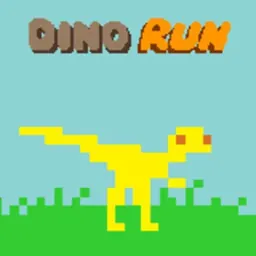
Dino Run is a retro pixel-art running platformer where you sprint to outrun prehistoric extinction. Guiding a small dinosaur across rough landscapes, your goal is to stay ahead of a massive pyroclastic wall of fire and debris rushing from behind. Every second counts as you dash over craggy hills, leap across boulders, and dive into caves to keep moving.
The appeal of the game lies in its fast pace, dynamic physics, and classic 8-bit visual style. Rolling down steep slopes accelerates your dinosaur to high speeds, giving you enough momentum to vault over deep ravines. Chasing top scores and surviving each stage delivers exciting arcade action directly in your browser.
How to play Dino Run
In Dino Run, your primary objective is to stay ahead of the relentless wall of doom advancing from the left side of the screen. As the pyroclastic cloud sweeps over the prehistoric landscape, you must navigate your dinosaur across varied ground, jumping over hazards and keeping up forward speed.
Along the way, you can collect glowing eggs and bones to increase your score. You can also eat smaller critters on the path to maintain speed and gain quick energy boosts. Crashing into rocks, getting stuck on steep slopes, or tumbling into pits slows you down and lets the wall of doom catch up. Reaching the sanctuary at the end of the area allows you to advance to the next run.
Controls and movement
Dino Run uses simple keyboard controls that work immediately on desktop computers and Chromebooks.
Run Left and Right: Use the Left and Right Arrow keys, or the A and D keys, to steer your dinosaur across the ground.
Jump: Press the Up Arrow key, W key, or Spacebar to leap over boulders and gaps. Tapping produces a short hop, while holding the key yields a higher jump.
Duck and Roll: Press the Down Arrow key or S key to duck under low rock ceilings. Pressing down while sprinting down a hill makes your dinosaur roll, converting slopes into a burst of speed.
Tips to outrun the wall of doom
Surviving each run requires good timing, smart movement, and forward planning.
Roll down slopes for extra speed. Whenever you reach a downhill incline, press the down key to roll. Downhill rolling boosts your momentum far past regular running speed, giving you a safe lead ahead of the advancing cloud.
Look ahead of your runner. Keep your focus on the right side of the screen so you can react to upcoming pits, low ceilings, and boulders before you reach them.
Pick safe routes for items. Collecting eggs boosts your score, but do not risk falling into deep pits for a single pickup. Staying alive on higher ground is always the safer choice.
Use hill crests for long jumps. Launching off the crest of a hill at top speed carries your dinosaur across rough terrain below, saving valuable seconds.
Playing Dino Run unblocked at school
Dino Run is a popular game for students looking for quick entertainment during study breaks on school Chromebooks. The lightweight browser version loads fast without needing software downloads or special account permissions.
Because school network filters occasionally restrict individual domains, this page lists several server buttons directly below the title. If one server is filtered on your network, simply click another server option from the list to load the game. Switching between available servers helps you enjoy Dino Run unblocked without disruption.
Games like Dino Run on Unblockd
If you enjoy fast-paced running and platforming challenges, several other games on our site offer similar arcade action.
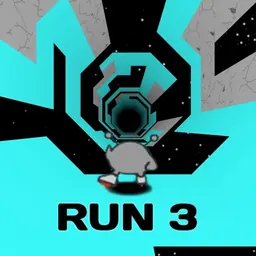
Chrome Dino offers the classic offline runner where you hop over desert cacti and dodge flying obstacles. Run 3 takes the sprint into deep space with rotating tunnels and gravity mechanics. OvO delivers a high-speed parkour challenge with smooth jumps and slides. Geometry Dash tests your rhythm and reaction speed on demanding obstacle tracks. You can also play Duck Life to train and race your pet runner across obstacle courses, or try Doodle Jump for vertical platform hopping.
FAQ
Is Dino Run unblocked free to play?
Yes, Dino Run is completely free to play directly in your web browser with no payments or account sign-ups required.
Does Dino Run work on a school Chromebook?
Yes, Dino Run runs smoothly on school Chromebooks and laptops directly inside standard browsers without extra downloads.
How do you save your progress in Dino Run?
Your records, scores, and settings are saved automatically in your browser local storage as long as you keep your browser data intact.
Who developed Dino Run?
Dino Run is listed with developer Poki on web gaming platforms, where it remains a celebrated retro runner classic.
Why do players search for Dino Run unblocked 66, 76, and 77?
Players often search for Dino Run unblocked 66, Dino Run unblocked 76, or unblocked games 77 when seeking accessible mirrors. Our directory organizes working server links in one place so you can play immediately without searching through mirror sites.
What happens when the wall of doom catches you in Dino Run?
If the advancing wall of pyroclastic dust catches your dinosaur, your current run ends immediately and you must restart the stage to try again.