Soccer Legends Unblocked
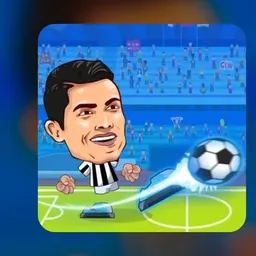
Soccer Legends is an exciting 2D arcade soccer game featuring big-headed caricatures of famous international football stars. Bringing fast-paced soccer action directly to your web browser, the game lets you sprint down the field, leap into the air for diving headers, slide tackle opponents, and blast powerful shots into the net. You can jump straight into quick exhibition matches, battle through tournament brackets for a trophy, or challenge a friend in local two-player mode on the same device.
Matches are fast and chaotic, lasting just a few minutes with nonstop back-and-forth scoring opportunities. With responsive physics, exaggerated aerial acrobatics, and devastating super shots that charge up during play, every match delivers instant excitement. The simple control scheme makes it easy to pick up during short breaks, while mastering shot timing and defensive positioning offers plenty of depth for competitive players.
How to play Soccer Legends
The main objective in Soccer Legends is simple: score more goals than your opponent before the match timer runs out. You can compete solo against computer-controlled teams or invite a friend to play head-to-head on the same keyboard. The game offers multiple game modes, including Friendly Match for quick casual play and Tournament mode where you guide your team through knockout rounds to claim the championship cup.
Matches take place in either 1v1 or 2v2 formats. In 1v1 mode, you control all offensive attacks and defensive saves on your side of the pitch. In 2v2 mode, you share the field with an AI teammate or a second player, creating opportunities for passes, crosses, and coordinated defensive coverage. As you kick the ball, make tackles, and defend your goal, your special power meter charges up. Once the meter is full, you can trigger an explosive super shot that streaks across the pitch toward the opposing net.
Controls and gameplay mechanics
Soccer Legends features intuitive keyboard controls that work smoothly on laptops and school Chromebooks. The layout allows two players to compete side by side on a single keyboard.
For solo play or Player 1 in two-player mode, use the A and D keys to run left and right across the pitch, and press the W key to jump for headers or high volleys. Press the S key to perform a sliding tackle or crouch to block low incoming balls. Press the B key to shoot the ball or steal possession from an attacker. When your special meter is completely filled, press the V key to unleash your super shot. Double-tapping the left or right movement keys triggers a quick dash to chase down loose balls.
For Player 2 in local multiplayer games, use the Left and Right arrow keys to move, the Up arrow key to jump, and the Down arrow key to slide tackle. Press the L key to kick the ball and the K key to activate your super shot.
Tips and strategies to win matches
Winning tough matches in Soccer Legends requires good timing, patient defense, and smart use of your special abilities. One of the most effective defensive tactics is timing your jumps to meet aerial shots at the peak of their flight. Jumping too early or too late allows high lobs to bounce over your head and into your goal.
Avoid sliding indiscriminately across the field. While a well-timed slide tackle can strip the ball from an attacker, a missed slide leaves your defender lying on the turf for a second, creating a wide-open scoring lane for your opponent. Instead, stay on your feet and shadow the ball handler until you have a safe angle to tackle. In addition, hold onto your super shot for clutch moments, such as tying the game in the final seconds or stopping an opponent from pulling ahead.
Playing Soccer Legends unblocked at school
Soccer Legends is a popular game for students looking to enjoy a quick match during lunch, recess, or study hall on school Chromebooks. Because school network filters can sometimes block access to specific gaming domains, this directory provides several server buttons right below the title.
If one server link happens to be filtered on your school network, simply select another server option from the list above to find an active mirror. Soccer Legends runs directly inside your web browser using lightweight HTML5 technology, meaning you do not need to download files or install extra software to play.
Games like Soccer Legends
If you enjoy the fast-paced arcade style of Soccer Legends, there are other great sports games available on this site that offer similar excitement.
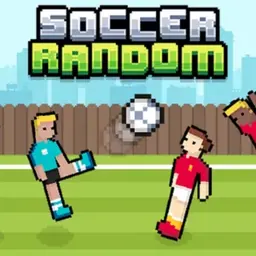
For another fun soccer experience with unpredictable physics, try Soccer Random, where two-player teams flop and kick in hilarious ragdoll matches. If you want classic one-on-one head-to-head duels with big-headed characters, check out Head Soccer for intense arcade battles and special kicks. Both titles provide quick matches that are perfect for solo play or challenging classmates.
FAQ
Is Soccer Legends unblocked free to play?
Yes, Soccer Legends is completely free to play in your browser. All game modes, including tournaments and local two-player matches, can be played without paying any fees or creating an account.
Does Soccer Legends work on school Chromebooks?
Yes, Soccer Legends works smoothly on school Chromebooks and other low-spec laptops. The 2D browser-based engine runs efficiently without lagging or draining device resources.
Can you play Soccer Legends with two players on one computer?
Yes, Soccer Legends features a built-in local two-player mode where two people can play on a single keyboard using separate WASD and arrow key control setups.
Who made Soccer Legends?
The developer is not specified in standard browser releases, but the game is widely recognized as a classic arcade soccer title across browser gaming portals.
Why do players search for Soccer Legends unblocked 66, 76, and 77?
Students often search for terms like Soccer Legends unblocked 66, unblocked games 76, and unblocked games 77 when looking for working game links on restricted school networks. This directory aggregates reliable server buttons in one place so you can easily find a working version without browsing through cluttered mirror pages.
How do you activate a super shot in Soccer Legends?
You fill your power meter by making tackles, kicking the ball, and defending against shots. Once the gauge at the top of the screen is full, press the V key (or K for Player 2) to fire a high-speed super shot.