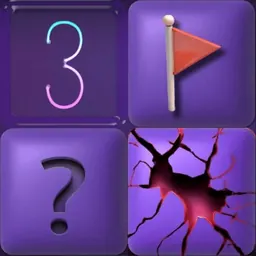
Minesweeper is a classic logic puzzle game where players clear a covered grid without detonating hidden mines. Every move requires deduction, as numbers on revealed squares show how many mines sit in the eight surrounding tiles. First popularized as a desktop computer standard, it remains a favorite thanks to its clean design and pure focus on deductive reasoning.
The appeal of Minesweeper comes from its high-stakes problem-solving. Every click provides vital clues or triggers an instant loss, rewarding careful planning over reckless guessing. Students taking a quick brain break or mastering expert boards will find clearing safe zones and tagging dangerous spots deeply satisfying.
How to play Minesweeper
The main objective of Minesweeper is to uncover all safe squares on the grid while flagging every hidden mine. The board begins covered in blank squares, with mines hidden randomly underneath.
To start, pick a difficulty mode such as Beginner, Intermediate, or Expert. Beginner boards use a compact grid with few mines, making it easy to practice the basics. Intermediate and Expert levels feature larger grids with dozens of mines, demanding sharper logic.
When you uncover a safe square, it reveals a number from 1 to 8. This number indicates how many mines touch that square directly. If a revealed square touches zero mines, it automatically clears surrounding blank spaces to open up the board. Using these numerical clues, you can deduce which covered tiles are safe and which ones conceal mines. You win the game once all non-mined squares are uncovered.
Controls
Minesweeper features simple mouse controls that work smoothly on school Chromebooks, laptops, and desktop computers.
Left-click any covered square to reveal what lies underneath. If you click a safe space, its number appears; clicking a mine ends the match immediately. Right-click on a covered tile to place a flag over a suspected mine. Right-clicking a flagged tile again removes the marker.
Many browser versions also support chord clicking. Once all neighboring mines for a revealed number are flagged, clicking both mouse buttons together on that number automatically reveals all remaining unflagged tiles around it. On touchscreen Chromebooks, tap to reveal and press and hold to flag.
Tips to get better
Winning consistently in Minesweeper relies on recognizing standard numerical patterns rather than guessing.
Scan the edges of open areas for obvious clues. If a square with a 1 touches only one covered neighbor, that neighbor must be a mine. Flag it right away. Once marked, check adjacent numbers. If another 1 also touches that flagged mine, all other unrevealed tiles around that second 1 are guaranteed safe to click.
Memorize common formations like the 1-2-1 pattern along flat borders. When 1-2-1 appears against an unopened edge, the mines sit under the two 1s, while the space under the 2 is safe. Spotting these patterns allows you to clear sections quickly.
Focus on certain moves before taking chances. If an area seems unclear, explore other parts of the grid first. Opening new sections often reveals numbers that solve tricky spots. If you must guess, calculate the odds and click the tile least likely to contain a mine.
Playing Minesweeper unblocked at school
Minesweeper is a popular puzzle game for students wanting a quick mental break on school Chromebooks. Since school networks sometimes filter individual gaming domains, this page lists multiple server options beneath the game title.
If one server link is filtered on your connection, simply choose another server button above to load the game. The game runs directly in your browser without downloads, installations, or registration.
Games like Minesweeper
If you enjoy the strategic problem-solving of Minesweeper, several other classic puzzle games on this site offer great alternatives.
Google Solitaire and Play Solitaire test your card organization and patience through classic solitaire rules. For sliding tile math puzzles, 2048 Original offers an addictive grid challenge.
If you enjoy grid challenges, Pixel Tetris and Free Mahjong test pattern recognition. For turn-based strategy, ChessWAI and Tic Tac Toe deliver timeless tactical matches directly in your browser.
FAQ
Is Minesweeper unblocked free to play?
Yes, Minesweeper is completely free to play in your web browser. There are no fees, subscriptions, or paywalls for any difficulty mode.
Does Minesweeper work on school Chromebooks?
Yes, Minesweeper runs smoothly on standard school Chromebooks and laptops. Its lightweight design loads quickly in Chrome without lagging.
What do the numbers on the grid mean in Minesweeper?
Numbers show how many mines touch that specific square across its eight adjacent neighbors (horizontally, vertically, and diagonally).
What are the difficulty levels in Minesweeper?
Standard versions include Beginner (9x9 grid with 10 mines), Intermediate (16x16 with 40 mines), and Expert (30x16 with 99 mines).
How do you save progress in Minesweeper?
Minesweeper is played in quick standalone rounds, so matches do not require saving. Many browser versions automatically save your best completion times locally.
Why do players search for Minesweeper unblocked 66, unblocked games 76, and unblocked games 77?
Students search terms like Minesweeper unblocked 66, unblocked games 76, and unblocked games 77 when seeking working puzzle mirrors on school networks. This directory provides working server links directly above so you can play without searching mirror sites.