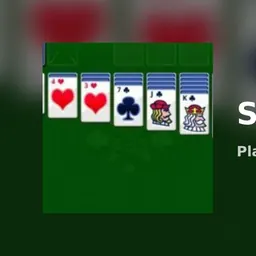
Play Solitaire is a web-based adaptation of the classic single-player Klondike card game. Designed for smooth, instant gameplay without any downloads, it brings the timeless tabletop card game directly to your browser. Your challenge is to sort a standard deck of fifty-two cards across seven columns and assemble four organized foundation piles from Ace through King.
The game delivers a calm yet stimulating mental workout that balances logical foresight with patience. Students looking for a quick brain teaser during a school study break can enjoy clear visuals, responsive drag-and-drop mechanics, and satisfying card sequences with every round.
How to play Play Solitaire
Play Solitaire follows traditional Klondike rules, the most recognized form of solitaire in the world. The table is split into four distinct areas: the tableau, the stock pile, the waste pile, and the four foundation spaces. At the beginning of a match, twenty-eight cards are dealt across seven tableau columns, starting with one card in the first column and increasing up to seven in the last. Only the top card in each column begins face up, while the rest remain hidden underneath.
To clear the tableau, you must arrange face-up cards in descending order while alternating between red and black suits. For instance, a black seven can be placed on a red eight, and a red Jack can follow a black Queen. You can move single cards or valid sequences between columns to reveal face-down cards underneath. When a column is cleared completely, only a King or a sequence led by a King can fill the vacant slot.
Whenever you run out of productive moves on the main board, click the stock pile in the upper corner to deal fresh cards into the waste pile. You can then play the top card from the waste pile onto the tableau or move it directly to a foundation. You win the game by organizing all fifty-two cards into the four foundation piles, arranged by suit in ascending order from Ace up to King.
Controls and interface features
Play Solitaire provides straightforward mouse and trackpad controls optimized for Chromebooks and desktop web browsers.
You can click and drag cards to place them on valid tableau columns or foundation slots. Most browser versions also support quick clicking or double-clicking, which instantly sends an eligible card to its matching foundation pile or the best available tableau column.
The interface includes several convenient tools to enhance your session. An undo button lets you reverse previous actions if you make a mistake or want to rethink your strategy. You can also track your timer and move counter to monitor your efficiency, or start a new deal whenever you want a fresh board.
Strategies to win more card deals
While some card distributions are difficult to solve, applying sound strategy will significantly raise your win rate in Play Solitaire.
Focus on uncovering hidden cards in the largest tableau piles as early as possible. Revealing face-down cards gives you more choices and unlocks buried cards that are essential for building foundation piles.
Move Aces and Twos to the foundation piles immediately, as they have little utility within the tableau. For higher cards, however, think carefully before transferring them to the foundations. Keeping intermediate cards on the board can provide necessary stepping stones for lower cards of the opposite suit.
Try to create empty tableau spaces and hold them for Kings. An open space lets you unpack clogged columns and uncover additional face-down cards. Before drawing from the stock deck, scan the entire board to make sure you have exhausted all advantageous tableau moves.
Playing Play Solitaire unblocked at school
Play Solitaire is an excellent casual game for school Chromebooks because it runs entirely in your web browser. There is no software to install, no account setup required, and no heavy graphics processing that slows down classroom computers.
School network filters occasionally restrict specific domains or web pages. To help students find a reliable connection, this page provides multiple server options directly under the game title. If one server is blocked or loads slowly on your network, simply select another server button to launch the game without interruption.
Games like Play Solitaire
If you enjoy card games and thoughtful puzzle mechanics, several other popular titles on this site offer similar gameplay.
Google Solitaire provides another clean take on the Klondike card formula with multiple difficulty settings. If you want number-based logic puzzles, 2048 Original challenges you to slide and merge numbered tiles across a compact grid.
For spatial puzzles and classic arcade experiences, explore Bloxorz, Google Snake, and Donkey Kong. Each of these games delivers engaging single-player entertainment that runs smoothly on school devices.
FAQ
Is Play Solitaire unblocked free to play?
Yes, Play Solitaire is completely free to play online. You can play as many deals as you want without paying fees, creating an account, or downloading any software.
Does Play Solitaire work on school Chromebooks?
Yes, Play Solitaire runs smoothly on school Chromebooks, laptops, and desktop computers. Because the game uses lightweight browser code, it starts instantly without straining device memory.
Does Play Solitaire save your progress?
Solitaire rounds are typically short single-session card deals. While active rounds reset if you refresh your browser tab, your win statistics and high scores may be stored locally in your browser cache depending on the server version you play.
Can every deal in Play Solitaire be won?
Not every random deal in Klondike solitaire is winnable due to the mathematical distribution of cards. However, thoughtful planning, strategic tableau management, and smart card sequencing will help you solve the vast majority of favorable deals.
Why do players search for Play Solitaire unblocked 66, 76, and 77?
Students often look for terms such as Play Solitaire unblocked 66, unblocked games 76, and unblocked games 77 when searching for working game mirrors on school networks. This page lists verified server links at the top so you can easily access the game from a single place.
Who developed Play Solitaire?
Play Solitaire is based on traditional Klondike solitaire, a timeless card game enjoyed around the world for over a century. The browser versions featured here are maintained by web developers who create lightweight digital card games for modern browsers.