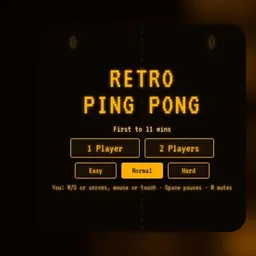
Pong is the classic 2D arcade table tennis game that helped launch the video game era. Controlling a vertical paddle on the screen, players face off across a digital tennis court to deflect a bouncing ball past their opponent.
The game remains captivating because of its clean, reflex-driven gameplay. Simple paddle movements create tense back-and-forth rallies where quick reactions, sharp angles, and tactical ball placement decide every point.
How to play Pong
A match of Pong simulates a tabletop tennis match between two players or against a computer opponent. Each player controls a vertical paddle on their side of the screen while a square ball bounces across the playfield.
Your goal is to position your paddle in the path of the incoming ball to rebound it toward the opposite side. If your opponent fails to make contact and the ball passes their baseline, you score a point. If you miss a return, the opponent earns a point. Matches continue until one side reaches the winning score.
The angle of each return changes based on where the ball strikes your paddle. Hitting the ball near the paddle edge creates a steep, angled rebound, while a center hit produces a straight return. As a rally continues without a miss, the ball steadily speeds up, demanding sharper focus and faster reflexes.
Controls and game modes
The browser edition of Pong offers simple keyboard controls that respond smoothly on school Chromebooks, laptops, and desktop computers.
In single-player mode against the computer AI, use the Up and Down Arrow keys or the W and S keys to glide your paddle along the court boundary. Some versions also allow direct paddle tracking using your mouse cursor.
In local two-player mode, two players share the same keyboard for head-to-head matches. Player 1 typically controls the left paddle using the W and S keys, while Player 2 controls the right paddle with the Up and Down Arrow keys. This shared layout makes it easy to challenge a classmate without extra controllers.
Tips to win more rallies
Winning rallies against tough opponents requires good court positioning and intentional shot placement rather than just reacting at the last second.
Always reset your paddle toward the vertical center after hitting a return. Staying centered ensures you have an equal distance to cover whether the next shot travels toward the upper or lower boundary. Lingering near one corner leaves the opposite side wide open.
Aim for the corners of your paddle to produce sharp diagonal shots. Deflecting the ball at steep angles forces the opposing paddle to travel greater distances across the screen, increasing their chances of mistiming a return.
Stay composed as the rally gains speed. Predict wall bounces ahead of time so you can position your paddle smoothly before the ball reaches your side.
Playing Pong unblocked at school
Pong is a great retro game for quick play sessions during study breaks, free periods, or lunch on school Chromebooks. The minimalist 2D presentation loads instantly without heavy downloads or performance lag.
If school network filters restrict a specific web domain, this directory provides several server options directly above the game window. If one server link is filtered on your connection, simply choose another server button from the list to continue playing. The game runs directly in modern web browsers without requiring account registrations or software installations.
Games like Pong
If you enjoy vintage arcade mechanics and fast paddle action, several other classic titles on this site offer similar excitement.
Atari Breakout transforms paddle bouncing into a brick-breaking challenge, while Space Invaders tests your timing and reflexes against descending waves of retro targets. For fast-paced speed and navigation challenges, try X Trench Run for high-speed flight or Rolly Vortex for quick-reaction rolling through obstacle courses.
FAQ
Is Pong unblocked free to play?
Yes, Pong is completely free to play in your web browser. You can play single-player matches against the AI or local two-player games without fees or accounts.
Does Pong work on school Chromebooks?
Yes, Pong runs smoothly on school Chromebooks and laptops. The lightweight 2D graphics load quickly and perform reliably across standard web browsers.
Can you play Pong with two players on the same keyboard?
Yes, the local multiplayer mode lets two players compete on one device. One player uses the W and S keys while the other uses the Up and Down Arrow keys.
How do you save your high score in Pong?
Your scores and match statistics are stored locally in your browser cache during active play sessions. Keeping the same browser window open preserves your current match records.
Why do players search for Pong unblocked 66, 76, and 77?
Phrases like Pong unblocked 66, unblocked games 76, and unblocked games 77 are common search terms used by students looking for accessible game links. This site gathers multiple verified servers on one page for easy access.
How does the ball speed increase during a match?
Each successful paddle deflection slightly increases the speed of the ball. Long rallies become progressively faster, testing your reflexes until a player misses a return.