Bloxorz Unblocked
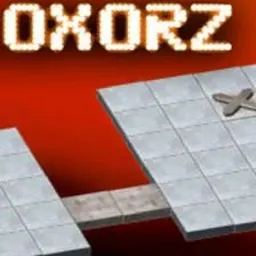
Bloxorz is a legendary 3D spatial puzzle game that tests your logic, planning, and spatial reasoning. Controlling a rectangular block across suspended tiled platforms, your objective is to roll the block through narrow pathways and drop it upright into the square exit hole at the end of each stage. Every level presents a floating maze where a single misstep sends your block tumbling into the abyss.
The enduring appeal of Bloxorz lies in its simple mechanics and escalating intellectual challenge. As you progress, stages introduce fragile orange tiles, dual pressure switches, bridges, and teleporters that split your block into two smaller cubes. Finding the exact sequence of moves to reach the goal delivers a deeply satisfying puzzle experience.
How to play Bloxorz
The goal of Bloxorz is to navigate a rectangular block across a floating grid and drop it vertically into the square exit hole. The block tumbles over its edges in four directions, alternating between standing upright on a single square and lying flat across two adjacent squares.
You must be careful around the edges of the platform. If any part of the block rolls off into empty space, it falls and the stage restarts. Success requires thinking several moves ahead so your block reaches the exit hole upright rather than flat across the opening.
Interactive tiles and switches create obstacles and pathways throughout each layout. Soft round switches activate when pressed in any position, while heavy cross switches require the block to stand upright on them. Later levels feature fragile orange tiles that break under vertical weight, and split switches that divide your block into two separate cubes.
Controls
Bloxorz uses straightforward keyboard controls that work smoothly on school laptops and Chromebooks. You only need standard directional inputs to guide your block.
Use the Arrow keys or WASD on your keyboard to roll the block in the desired direction. If your block splits into two smaller cubes on special stages, press the Spacebar to switch control between them.
Because Bloxorz is turn-based, there are no timers or reflex pressures. You can take your time to analyze the board, plan your rotations, and calculate each step toward the goal.
Tips to get better
Working backward from the exit hole is one of the most effective strategies in Bloxorz. Look at the orientation needed to drop into the hole, and visualize the two or three preceding moves required to reach that position.
Watch out for fragile orange tiles. While standard gray tiles support the block in any stance, orange tiles collapse if you stand vertically on them. Always roll horizontally across orange sections to distribute weight safely across two squares.
Pay attention to how switches control bridges. Some switches toggle bridges on and off, while others open them permanently. Understanding which switch connects to which bridge helps you avoid trapping your block on isolated sections.
Keep track of stage passcodes. Bloxorz provides a unique passcode for each stage, allowing you to resume your progress anytime from the main menu without replaying earlier puzzles.
Playing Bloxorz unblocked at school
Bloxorz is a favorite puzzle game for students looking for a fun brain challenge on school Chromebooks during free periods or study breaks. Since school network filters sometimes restrict individual web domains, this page lists multiple independent server options directly under the title.
If one server is filtered or blocked on your network, simply click another server button from the list above to play. The game runs entirely in your web browser without requiring downloads, browser extensions, or account creation.
Games like Bloxorz
If you enjoy the logic and spatial puzzles of Bloxorz, check out other great puzzle and skill games on this directory.
You can play 2048 Original for tile-merging math strategy, The Impossible Quiz for quirky brain-teasers, and World's Hardest Game for precision movement challenges. If you enjoy 3D mechanics and reflexes, Run 3 and Google Snake offer classic navigation gameplay that runs smoothly in your browser.
FAQ
Is Bloxorz unblocked free to play?
Yes, Bloxorz is completely free to play in your browser. You can access all stages and solve every puzzle without paying anything or signing up.
Does Bloxorz work on school Chromebooks?
Yes, Bloxorz runs smoothly on standard school Chromebooks and laptops. It uses lightweight browser code that loads fast and requires minimal system resources.
How do you save progress in Bloxorz?
Bloxorz uses stage passcodes shown on each level. You can note your current stage code and enter it on the main menu to resume your game on any computer.
What happens when the block falls off the platform?
If your block tumbles over the edge or through a gap, the stage restarts instantly from the beginning. You have unlimited attempts to experiment and solve each level.
Why do players search for Bloxorz unblocked 66, 76, and 77?
Students often search for terms like Bloxorz unblocked 66, unblocked games 76, and unblocked games 77 to find active mirrors for school gaming. This directory provides working server links at the top of the page so you can play without hunting across mirror sites.
Can you play Bloxorz with a keyboard or touchscreen?
Bloxorz is best played using a physical keyboard with the arrow keys or WASD keys. Some mobile browser versions support on-screen buttons, but keyboard input offers the cleanest control.